

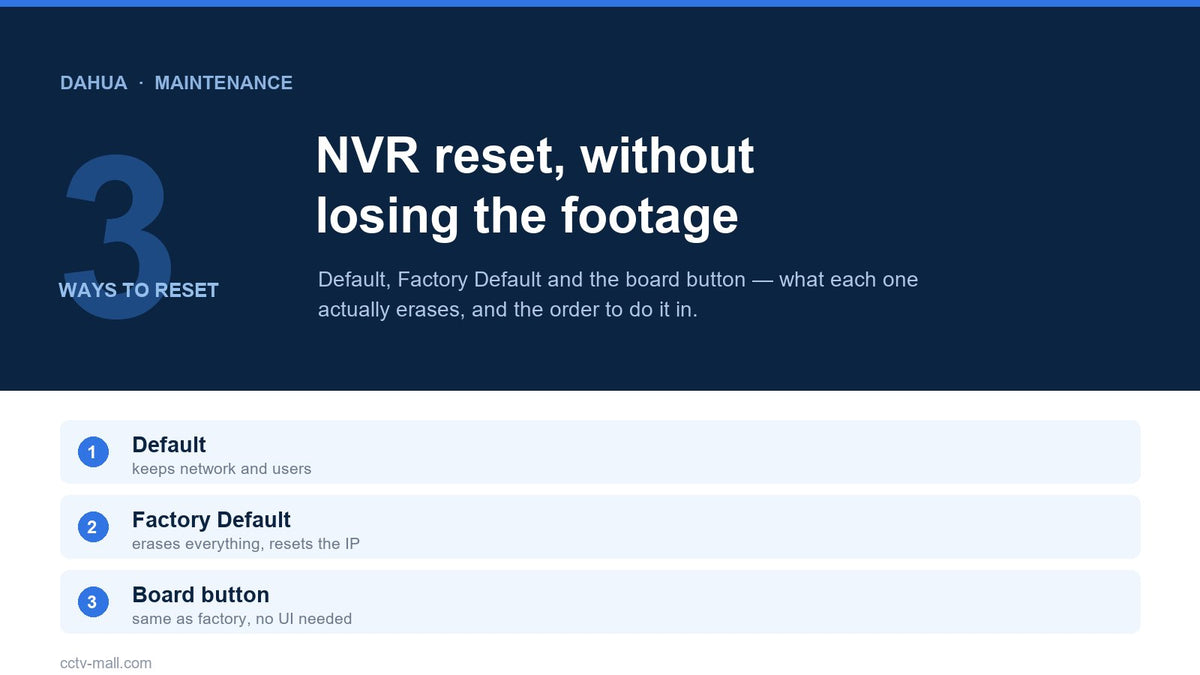
Two buttons sit next to each other in the same maintenance menu, and their names differ by one word. One keeps the network configuration and the accounts. The other erases them, returns the recorder to its factory address, and hands you back an unconfigured box that demands a new password before it will show a picture.
That difference decides whether a Dahua NVR factory reset is a five-minute fix or a two-hour rebuild on a ladder. It also decides whether the client's footage is still there afterwards — and the answer to that is reassuring, because the reset does not touch the disk. What it destroys is the configuration that tells the recorder which camera is which, where to write, and who is allowed to watch.
This guide separates the three reset paths, shows what each one erases, and gives the order of operations that gets you back to a working system with the evidence intact.
TL;DR
- Default restores everything except network settings and user management. Factory Default restores everything.
- Export the configuration to USB first. It is one menu item and it turns a rebuild into a restore.
- Recordings stay on the hard disk. Channel mapping, schedules, accounts and the IP address do not.
- After a factory reset the IP returns to
192.168.1.108and the startup wizard runs again.
Recommended Dahua network recorders
A rotating selection from our current stock. Availability and pricing are confirmed at checkout.


Check stock or request a quote
Enter a Dahua part number to see live availability, or send it straight to our team for a price and lead time.
Three Reset Paths, Three Different Outcomes
The recorder exposes two reset options in the interface and one physical method for the models that carry the button. They are not interchangeable, and choosing the wrong one is what turns a routine maintenance call into an evening of reconfiguration.
| Path | Where | What it keeps | When to use it |
|---|---|---|---|
| Default | Main Menu > MAINTENANCE > Manager > Default | Network settings and user accounts | A configuration value is wrong and you cannot find it |
| Factory Default | Same page, second button | Nothing | Handover, resale, or a compromised device |
| Board button | Reset button on the mainboard (select models) | Nothing | No access to the interface at all |
Read the first row carefully, because it is the one that saves work. Default is designed to be safe: it puts the recording, alarm, display and storage settings back to their shipped values while leaving the address plan and the accounts alone. On a site with a working network and several accounts, that is almost always what an installer actually wants.
Factory Default is the nuclear option, and it is deliberately placed one click away. It clears the network settings too, which means the recorder comes back on 192.168.1.108 — an address that probably does not exist on the client's LAN. If you press it while remoting in over the network, you have just disconnected yourself from the device you were fixing.
Before You Reset: Capture the Configuration
The single most useful habit in this whole procedure is exporting the configuration first. The NVR can write its settings to a USB drive, and the camera can export its own configuration file, so a reset becomes reversible instead of destructive.
On the recorder, insert a USB drive, open Main Menu > MAINTENANCE > Manager and use the configuration export. The device writes a folder named Config_xxxx containing the backup files. Keep that folder with the commissioning documents, not on the installer's personal drive — it contains the account names and the email credentials for alerts.
While you are there, photograph the channel list. The export restores settings, but it does not tell a colleague which physical camera was on channel 9. A phone photo of the REMOTE DEVICE > Device List page, with the camera names and IP addresses visible, costs ten seconds and prevents an hour of guessing.
| Capture | Why it matters |
|---|---|
| Config export to USB | Turns a rebuild into an import |
| Channel list photo | Tells you which camera was which |
| IP plan and VLAN | Factory reset returns to 192.168.1.108 |
| Account list | Default keeps users, Factory Default does not |
| Email and P2P details | Alerts stop silently after the reset |
| Camera passwords | PoE cameras can take the recorder's credentials |
Path 1: Default, Which Keeps the Network and the Users
Sign in as the administrator — the manual notes the function is for the admin account only — then open Main Menu > MAINTENANCE > Manager > Default. Two options appear. Choose Default, confirm, and let the device restart.
When it comes back, the address is unchanged, the accounts still work, and the recording plan, alarm settings, display layout and storage configuration are back to factory values. In practice this is the path for a recorder whose motion detection has become unpredictable, whose schedule no longer matches what the client wants, or which has accumulated settings from three different technicians.
Be honest about the cost: the record schedule is part of what gets restored. On a site with a carefully planned retention policy, that plan has to be rebuilt. Export the configuration first even here — the whole point of the export is that it makes every reset cheap.
Path 2: Factory Default, Which Erases Everything
The same page, the second button. Choose Factory Default, confirm, and accept that the device will restart with no network configuration, no accounts, no schedules and no camera bindings.
Three consequences follow immediately, and all three are predictable if you plan for them. The address returns to 192.168.1.108, so you need a laptop on that subnet, or a monitor and mouse, to reach it. The startup wizard runs again, which is the manual's own indicator that the device considers itself new — it appears only on first login or after a restore to factory settings. And the administrator password has to be set again, which means anything that logged in with the old credentials — a VMS, a phone, an integration — is now locked out until it is updated.
This is the right choice for a handover to a new owner, for a device that is being resold, and for the unwelcome case where an unknown account has access. It is the wrong choice when you are trying to fix a specific misbehaving feature and cannot stay on site.
Path 3: The Mainboard Reset Button
When the interface is unreachable — forgotten password, corrupted configuration, a recorder that boots into a state you cannot navigate — the physical button is the only option left. The manual documents it plainly and adds the caveat that matters: it is available on select models.

Disconnect power, remove the cover panel following the disk-installation procedure, locate the reset button on the mainboard, reconnect power and hold the button for five to ten seconds. Then restart. The result is identical to choosing Factory Default: everything is gone, and the device comes up uninitialised.
Two practical warnings. First, this is a workshop or on-site job with the case open and the power on, so treat it as live electrical work and do not attempt it while balancing on a ladder above a shop counter. Second, photograph the inside before you touch anything — drive cables and SATA connectors are easy to dislodge and the fault you create will look like a dead disk.
What Actually Happens to the Recordings
This is the question clients ask, usually in a tense voice, and the answer is straightforward: recordings live on the hard disk, and a reset does not format the disk. The files remain until they are overwritten by the retention policy or deleted by a separate formatting command.
What the reset removes is the map. The recorder no longer knows that channel 5 is the loading bay, so the timeline appears empty or shows the wrong channels until cameras are re-added. The footage is on the disk the whole time; it becomes reachable again as soon as the channels are bound. This is why a client can be convinced their evidence was wiped when nothing was actually deleted.
| Item | Survives a reset? |
|---|---|
| Recorded video files | Yes — until overwritten or formatted |
| Disk initialisation | Usually yes; verify before recording resumes |
| Channel-to-camera mapping | No |
| Record schedule and mode | No |
| Users and roles | Only with Default |
| Network configuration | Only with Default |
| P2P binding and app access | No — the device must be re-added in the app |
One destructive command lives close to this procedure and deserves its own warning: formatting the disk in STORAGE is not a reset. It erases every recording on the drive, and there is no recovery path afterwards. Never format to "clean things up" after a reset — check the disk status and the retention setting instead.
Rebuilding the Recorder in the Right Order
The startup wizard produces a usable recorder, not a finished one. Work in this order so each step can be verified before the next depends on it.
1. Address and time. Set the IP the site's plan expects, not the factory default, then confirm the time zone and DST rule. A recorder with the wrong clock produces evidence that is technically intact and practically useless.
2. Administrator password and recovery. The first login demands a new password. The manual recommends configuring password protection so the password can be reset later, which in practice means security questions or a reserved email. Set it now, while someone is on site, not after the next lockout.
3. Cameras. Search for devices and add them. Cameras on the recorder's PoE ports are discovered automatically; independent cameras need their credentials entered. If you exported a configuration, import it at this point instead of rebuilding by hand — the channel map comes back with it.
4. Storage. Confirm the disk is detected, initialised and set to overwrite when full. A recorder that silently stops recording at full capacity is a common post-reset surprise, and it is a one-line setting.
5. Recording schedule. Rebuild the plan deliberately: continuous where it matters, motion where storage is tight. If the timeline looks empty after a reset, this is the step that was skipped — the record mode and schedule check walks through the interaction between the two.
6. Alerts. Re-enter the SMTP details if they were configured, re-enable push, and re-add the device in the mobile app. A factory reset unbinds the device from the account, so the client's phone will show it offline until it is added again — the DMSS setup guide covers the rebinding steps.
7. Verify with evidence. Record for ten minutes, search the timeline, export a clip, open it on a machine that is not the recorder. Verification that stays inside the recorder proves nothing about the files.
One subtlety about camera credentials: when a camera is connected through a PoE port, the recorder initialises it automatically and, per the manual, the camera adopts the recorder's current password and email by default. After a reset you set a new password — so any camera that was still waiting to be initialised takes the new one. That is convenient, but it means the password written on the commissioning sheet may no longer match the camera. Update the documentation in the same visit.
When a Reset Is the Wrong Fix
A reset is a configuration intervention. If the fault is not configuration, it will survive the reset and you will have lost the settings for nothing. Six symptoms to recognise before you press anything:
| Symptom | What it usually is | Do this instead |
|---|---|---|
| Beeping, no video | No disk detected or disk failure | Check the disk detection path |
| Forgotten password | Authentication, not configuration | Use the documented reset-password routes first |
| One channel offline | Cable, PoE budget or camera fault | Run the PoE link checks |
| Reboots randomly | Power supply or thermal problem | Measure the supply under load |
| Cannot reach the web page | Port, browser or network change | Test the LAN path first |
| Features missing after a firmware change | Firmware regression or model limit | Check the release notes, not the reset page |
Reset Checklist
| Step | Pass condition |
|---|---|
| Configuration exported |
Config_xxxx folder copied off the USB drive |
| Channel list captured | Photo or spreadsheet with names and addresses |
| Reset type chosen deliberately | Default unless network must change |
| Physical access confirmed | Monitor and keyboard available if the IP resets |
| Address restored | Device reachable at the planned IP |
| Password and recovery set | Security questions or reserved email configured |
| Disk detected | Status normal, overwrite policy set |
| Recording verified | Ten-minute clip exported and played elsewhere |
| Alerts verified | Push arrives on the client's phone |
| Documentation updated | New password, IP and channel list recorded |
If the reset revealed that the recorder is simply undersized for the site — too few channels, or a disk that cannot hold the retention the client expects — replacing it is cheaper than another year of workarounds. The Dahua network recorder range lists the families by channel count and PoE budget, and matching cameras sit in the network camera collection.
FAQ
Does a Dahua NVR factory reset delete recordings?No. The reset clears configuration, not data. Recordings remain on the disk until retention overwrites them or someone formats the drive, which is a separate and destructive command.
What is the difference between Default and Factory Default?Default restores every configuration except network settings and user management. Factory Default restores everything, including the IP address and the accounts.
Will I lose the IP address?Only with Factory Default or the board button. The device returns to 192.168.1.108, so plan console access before you press it while working remotely.
Why is the startup wizard running again?Because it is designed to appear on first login and after a restore to factory settings. Its presence confirms the device considers itself unconfigured.
Can I reset without a monitor?Yes, if the device still answers on the network — use the maintenance page. If the network configuration is the problem, a monitor or the board button is the only route.
Do I need to format the disk after a reset?No, and you should not. Formatting destroys the footage. Confirm the disk status and the overwrite policy instead.
Why is the mobile app showing the device as offline after the reset?The factory reset removes the P2P binding. Re-enable P2P on the recorder and add the device to the account again by serial number.
Can a reset change camera passwords?Cameras connected through a PoE port are initialised by the recorder and adopt its current password and email by default. If you set a new password during the rebuild, record it — the camera may now use it rather than the one in your notes.
Sources
- Dahua Network Video Recorder User Manual V2.4.2 — §5.12.3.4.1 Restoring Defaults on the Local Page (Default vs Factory Default); §5.12.3.4.2 Resetting Device through the Reset Button; §5.1 Initialization; §5.2 Startup Wizard; §5.9.1 Initializing Remote Devices.
- Dahua Network Camera Web 5.0 Operation Manual V1.3.1 — §13.4.3 Import/Export; §13.4.4 Default (Default keeps IP and account, Factory Defaults restores all).
- Dahua Technology — model-specific reset button availability and firmware notes.
- ONVIF — re-adding cameras after a reset on mixed-brand sites.
Resetting is one of the few maintenance actions that is genuinely reversible — provided the configuration was exported first. If you are rebuilding anyway, it is also the moment to check whether the installed channels, disk and retention still match what the site actually needs.
Tell us the channel count and the retention target and we will confirm which recorder family and disk size meet it, with stock available for the rebuild.


