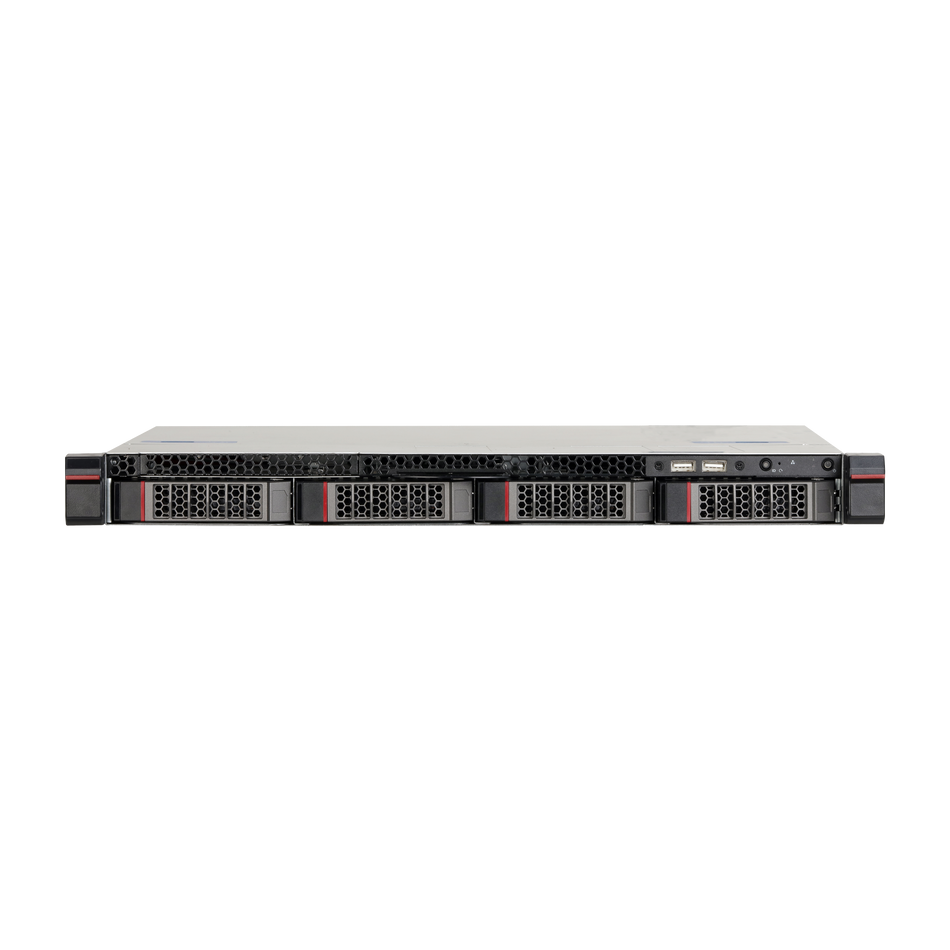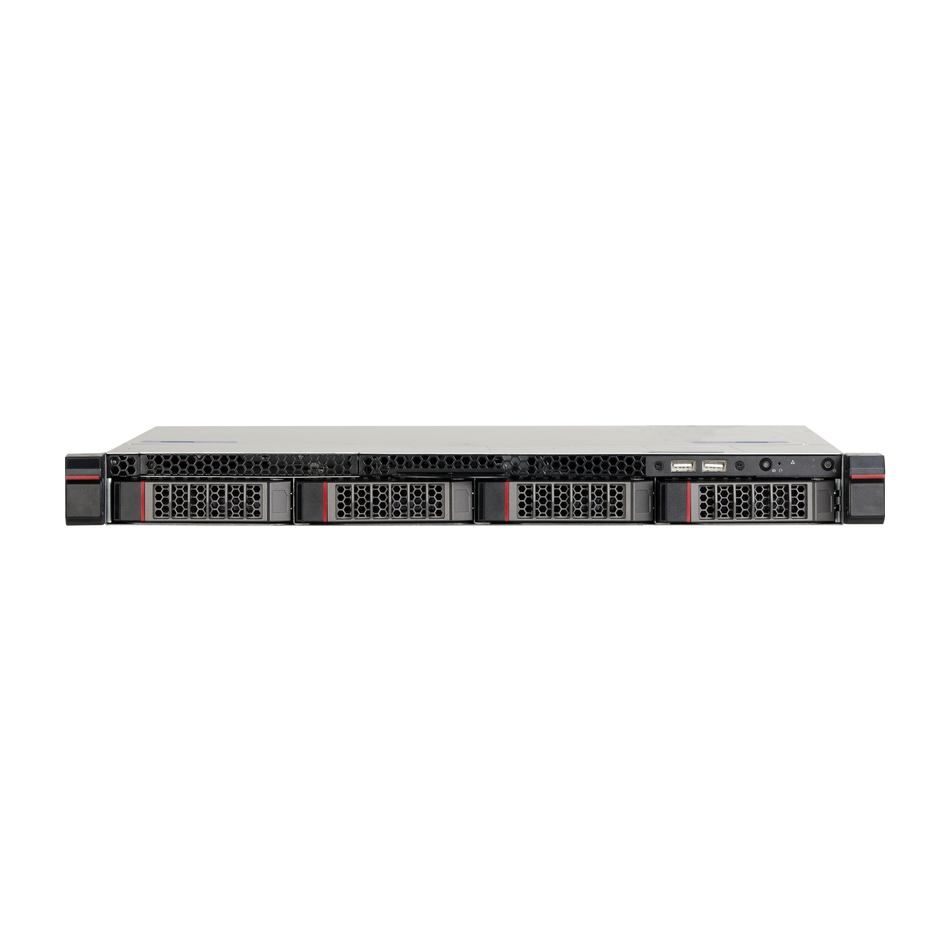

Field Note · Dahua PoE
A PoE camera that worked for months goes offline. The recorder shows "Failed to find network host", the LED on the port is dark, and someone is already on a ladder. Five checks, in order, find the cause before the ladder is needed.
TL;DR
- PoE carries power and data on one cable, so "offline" can be a power fault, a data fault, or a configuration fault.
- The recorder's PoE budget is shared. Adding one camera can knock an older one offline.
- "Failed to find network host" is a PoE-side message: check the cable, the port and the budget before the camera settings.
- Never connect a PoE port to a switch. The manual warns it causes connection failure.
- Third-party cameras on a PoE port need ONVIF enabled and DHCP on so the recorder can address them.
1. Three failures that look identical
An offline channel on a PoE recorder can mean the camera has no power, has power but no network path, or is reachable but rejected at login. The symptoms overlap almost completely; only the checks separate them.
| What you see | Layer |
|---|---|
| Port LED dark, camera has no lights | Power |
| Camera has lights, channel still red | Data path or addressing |
| Recorder finds the camera, login fails | Credentials or protocol |
| Several channels drop together | PoE budget or shared cabling |
That table is the whole diagnosis in miniature. Everything below is the detail behind each row.
2. How a Dahua PoE recorder supplies a camera
The recorder runs an internal switch. When a camera is plugged into a PoE port, the recorder assigns it an address from a defined segment and logs in automatically.
The manual describes the mechanism: the recorder tries arp ping to assign an address, and if DHCP is enabled it uses DHCP instead. Once the address is set, the recorder broadcasts through the switch function; a response from the camera means the connection succeeded, a channel becomes occupied and a PoE icon appears in the corner.
Two details matter operationally. First, the default address segment starts in a private range and the manual recommends keeping it. Changing it to match the site LAN is a common cause of conflicts. Second, do not connect a PoE port to a switch — the manual states this causes connection failure It is worth knowing the standard behind the behaviour: IEEE 802.3af/at Power over Ethernet defines the power classes and the negotiation that decides whether a device may draw current at all. Extending a run with a small switch is a frequent field mistake.
2.1 Port-to-channel mapping is not always one-to-one
On some models PoE port 1 maps to channel 1, port 2 to channel 2, and so on. On others, a camera plugged into a later port occupies the first idle channel instead.
That difference explains a confusing symptom: a technician moves a cable to a different port, the channel number changes, and the customer reports that "the wrong camera is offline".
Check the model's behaviour once and write it on the handover sheet. It takes a minute and prevents years of small misunderstandings.
2.2 What the PoE icon and device list confirm
When a PoE connection succeeds, the recorder occupies a channel and shows a PoE icon in the corner of that window. That icon is the confirmation that power and data both arrived.
The added-device list shows the same information in table form: channel, status, address, port and device name. A channel with a green status and a PoE port number is working. A channel with a red status but a PoE port listed is powered but failing to authenticate.
That distinction is worth teaching to whoever answers the phone at the site, because it reduces the number of calls that begin with "the camera is broken" when the camera is simply not logging in.
The list also displays remaining bandwidth, which is a useful early warning on a recorder that is close to its streaming limit rather than its power limit.
3. The five checks, in order
Check one: the port LED and the camera's own lights. No LED means no power. That is a cable, connector, port or budget problem — not a camera configuration problem.
Check two: the PoE budget. A recorder has a per-port limit and a total budget. Exceeding either drops cameras, often in groups and often when the ambient temperature rises. If several channels fail together, look here first.
Check three: the cable and connector. PoE over a long or marginal cable can deliver data but insufficient power at start-up, producing a camera that boots, drops, and repeats. That flicker between green and red is a physical fault, not a software one.
Check four: addressing. If the camera is reachable but the recorder cannot log in, check whether the address changed. Cameras on the PoE segment are usually addressed by the recorder, but a camera that was previously configured statically can conflict with the segment.
Check five: credentials and protocol. A camera whose password changed will fail login while remaining perfectly reachable. Third-party cameras also need ONVIF enabled and an ONVIF account, with DHCP on so the recorder can address them.
3.1 Reading the recorder's message precisely
The phrase Failed to find network host is a PoE-side notification. It means the recorder cannot reach the device on that segment, which points at power, cable or addressing rather than at a wrong password.
By contrast, a channel that appears in the device list but stays red is a login or protocol problem. The recorder can see the device and cannot authenticate to it.
Distinguishing those two messages saves the most time in this whole area, because they send you to different layers.
4. Power budget arithmetic
PoE budgets are consumed, not shared fairly. Each camera draws a start-up current higher than its running current, and a recorder that is close to its limit will drop a camera when another device starts.
A typical fixed dome draws around 5–7 W; a PTZ with a heater can draw 20–30 W or more. A recorder with a 120 W budget and four PTZs can be at its limit before the fifth camera is added.
The failure mode is characteristic: cameras drop in the order they were added or in groups on the same power block, and the site reports that "the new camera broke an old one".
Mitigation is straightforward once the cause is known: use a separate PoE switch for the high-draw devices, or move the PTZs off the recorder's budget. If the site needs more cameras than the budget allows, the recorder is the wrong host for them — a Dahua network recorder with a larger power budget, or a dedicated switch, solves it structurally.
4.1 A worked budget example
A recorder advertises a fixed PoE budget, and the arithmetic is simple enough to do before buying hardware.
Four fixed domes at 6 W each consume 24 W. Two PTZ cameras with heaters at 25 W each consume 50 W. The total is 74 W against, say, a 120 W budget, which looks comfortable.
Then add start-up current: a PTZ can briefly draw close to twice its running power while the motor and heater initialise. Two PTZs starting together can momentarily approach the budget, and a third camera booting at the same moment is enough to drop one of them.
This is why the failure often appears after a power cut rather than during normal operation: every device starts at once. If a site reports that "after the power came back, one camera stayed offline", the budget plus start-up behaviour is the first hypothesis.
The practical fix is either to reduce the load on the recorder's budget or to power the PTZs from a switch that has its own supply. Both are cheap compared with a service visit that finds nothing wrong with the camera.
5. Cable faults that look like software faults
PoE tolerates a surprising amount of cabling abuse and then fails in ways that look like configuration errors.
Marginal length. Beyond the standard limit, data may negotiate at a lower speed while power arrives inconsistently, producing a camera that works until it draws more current.
Poor terminations. A connector crimped onto the wrong pair order can pass data and fail power, or the reverse. Testing the run with a cable tester takes a minute and rules out the most common physical cause.
Water ingress. An outdoor connector that was not sealed corrodes over a season. The failure is gradual and seasonal, and it is frequently reported as "the camera got worse after the rain".
Damaged cable. A nick in the jacket from a cable tie or a door can create an intermittent short that only appears when the cable moves or warms up.
6. Addressing conflicts
Most PoE cameras are addressed by the recorder, which makes IP conflicts rare — but not impossible.
A camera configured statically before being moved to a PoE port can conflict with the recorder's segment. The symptom is intermittent rather than constant: two devices answer for one address at different moments.
A camera that was replaced with a unit carrying a different address can leave the recorder pointing at nothing, while the new camera is reachable from a laptop.
The fastest check is a device search from the recorder: if the camera appears with an unexpected address, that is the answer. Resetting the camera to automatic addressing, or matching the recorder's segment, resolves it.
5.1 Testing a run without guessing
A cable tester answers in a minute what substitution takes twenty.
Test with the camera disconnected. Terminate the run, test every pair, and look for opens, shorts and split pairs. PoE needs all four pairs on Gigabit, and a split pair can pass data at a reduced rate while failing power.
Test with a known-good camera. If the tester passes but the camera still fails, connect a camera known to work on the same run. That separates the cable from the device in one step.
Test at the far end under load. Some faults only appear when the camera draws current. A voltage reading at the camera connector while it is connected is more informative than an open-circuit measurement.
Check the connector, not just the cable. The majority of field faults live in the termination or in a corroded outdoor connector, not in the cable itself.
Recording which test failed — pairs, voltage, or substitution — turns a vague "cable problem" into something a second technician can act on without repeating the work.
7. Ten causes, in check order
1. Cable unplugged or failed. No power at the port.
2. PoE budget exceeded. Several channels drop together.
3. Switch on a PoE port. Manual explicitly warns against it.
4. Marginal cable length or termination. Works, then drops under load.
5. Water ingress in an outdoor connector. Seasonal, gradual.
6. Address conflict or changed address. Reachable but not usable.
7. Camera password changed. Login fails, device visible.
8. Third-party camera without ONVIF or DHCP. Cannot be addressed or authenticated.
9. Port or backplane fault. Confirmed by moving to another port.
10. Camera hardware failure. Confirmed with a known-good camera on the same port.
7.1 Repair or replace: a quick decision rule
Once the cause is known, the decision is usually obvious, but three cases are worth thinking through.
A single dead port on a functioning recorder is not worth repairing in most cases. Move the camera to a free port, document the change, and note the failed port on the handover sheet so nobody spends time on it later.
A camera that fails only when warm is usually a device fault rather than a cable fault. Test it in the shade or early in the morning to confirm the correlation before replacing anything.
A run that has failed twice in a year should be replaced rather than repaired. Repeated faults usually mean water ingress or mechanical damage, and each repair buys a season rather than a fix.
For sites with several cameras on one recorder, keep one known-good spare camera and a short pre-terminated cable on site. Those two items convert most of these calls from a visit into a swap.
8. Commissioning checklist
| # | Check | Pass |
|---|---|---|
| 1 | PoE budget calculated with start-up draw | Headroom remains |
| 2 | No switch on any PoE port | Direct run to camera |
| 3 | Outdoor connectors sealed | No water path |
| 4 | Cable tested end to end | All pairs pass |
| 5 | Channel map documented | Port to channel recorded |
| 6 | Reboot test | Channel returns unattended |
9. FAQ
Why did one camera go offline after adding another? PoE budget. Start-up draw of the new camera pushed the total over the limit.
What does "Failed to find network host" mean? The recorder cannot reach the device on the PoE segment. Check power, cable and addressing before credentials.
Can I use a switch on a PoE port? The manual warns against it — it causes connection failure. Run a direct cable or use a separate switch with its own power.
Why does the camera drop when it rains? Water ingress in an outdoor connector. Reseal or replace the connector.
Does a PoE camera need its own power supply? No. Power and data share the cable. A camera with a separate supply on a non-PoE port also works.
Why is the channel red but the camera reachable from a laptop? Credentials or protocol. The recorder sees the device and cannot log in.
Do third-party cameras work on PoE ports? Yes, with ONVIF enabled and DHCP on, so the recorder can address them.
How do I confirm the port is at fault? Move the cable to a known-good port, or a known-good camera to the suspect port. One of the two will fail.
10. Sources
- Dahua Network Video Recorder User Manual V2.4.2 — §5.10.17 Switch (PoE), §5.9.2 Adding Remote Devices
- Dahua Technology — documentation portal
Related: if the channel is green but nothing records, see the recording checklist. If the recorder itself is unreachable remotely, the remote access guide covers P2P and ports. Cameras and indoor power options are in the Dahua network camera range and accessories.
Recommended Dahua IP cameras
A rotating selection from our current stock. Availability and pricing are confirmed at checkout.


Camera down and the ladder is coming out?
Tell us the recorder model, how many PoE cameras are connected and whether the port LED is lit — we will point you at the right unit.
Installing for a client? CCTV-MALL supplies Dahua cameras, NVRs and PoE switches in project quantities, with consolidated shipping and a single quote for the whole bill of materials.
Check stock or request a quote
Enter a Dahua part number to see live availability, or send it straight to our team for a price and lead time.